


170 字
1 分钟
Linux 存储与 NFS 服务配置

本文介绍 Linux 系统中的 NFS 服务配置及文件存储管理的相关内容。
NFS 服务配置
{% tabs nfs %}
基础安装
dnf -y install rpcbind nfs-utilssystemctl start rpcbindsystemctl start nfs-serversystemctl enable rpcbindsystemctl enable nfs-server配置文件
编辑 /etc/exports:
/share1 *(sync,ro) 192.168.x.x(sync,rw,no_root_squash)/share2 192.168.x.0/24(sync,ro)权限说明
{% note primary %}
- rw/ro: 读写/只读权限
- sync/async: 同步/异步写入
- root_squash: root用户权限压制
- no_root_squash: 保留root权限
备份策略
备份要点
- 创建备份目录
- 配置NFS共享
- 设置自动挂载
- 配置定时任务
下载工具
NFS工具包::https://pkgs.org/download/nfs-utils
{% folding cyan, 备份脚本示例 %}
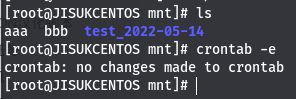

#!/bin/bashdate="$(date +%F)"cp /etc/passwd /mnt/pass_$date{% endfolding %}
Linux 存储与 NFS 服务配置
https://blog.jisuk.top/posts/linux存储/ 部分信息可能已经过时